The lock nobody can open alone
& nobody can hack
BreakingGlass is break-glass password sharing for iPhone. Split an emergency password among people you trust. Getting it back takes several of them, together and in person.
- Works fully offline
- Everything by QR code
- No account
- No server
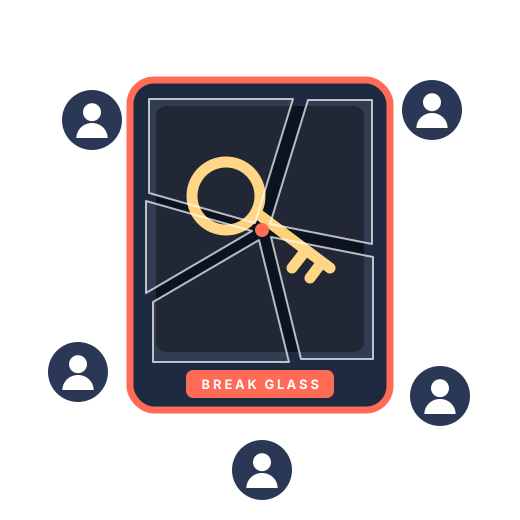
Break the glass only when it counts.
No servers, no sign-up. Just your iPhone, the people you trust and a few QR codes.
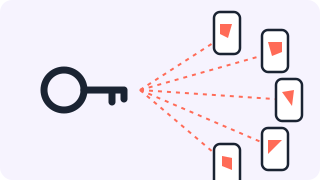
1Split it
Your password becomes parts. Each person you trust gets one, handed over in person by QR code.
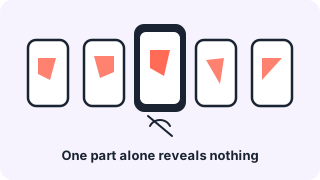
2Keep it
Each part stays on its owner’s iPhone, with a paper key as backup. No copy exists anywhere online.
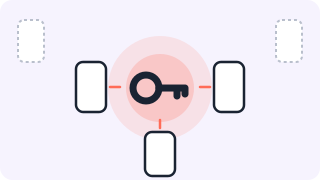
3Break the glass
In an emergency, enough of them meet in one place. Together they get the password back, without any network.
For the secrets you must never lose, and never leak.
Emergency admin passwords
The break-glass account for your cloud tenant, firewall or domain.
Key vault recovery keys
The master and recovery keys behind your key vault, HSM or encrypted backups.
One-time certificates
Root CA keys and one-off signing certificates you use once, then lock away.
Recovery codes
2FA and account recovery codes that unlock everything else.
Master passwords
The password-manager master password your team or family may need one day.
Disaster recovery secrets
The credentials your recovery plan depends on when normal systems are down.
BreakingGlass 1.0 is a preview. The app is complete, but an independent security review is still pending. Until it is done, we don’t recommend BreakingGlass for production credentials. Try it with test secrets, or with secrets you also keep safely somewhere else.
Planning emergency access for your company? Our Encryption & Key Management consulting helps you design the process around it.
Nothing online to hack.
Your secret is never stored in one place, and never on a network. To steal it, someone would have to be in the room with several of your people.
No server
There is no BreakingGlass server to breach.
No cloud copy
Parts move by QR code and never leave the phones.
No account
No sign-up and no login that could be phished.
No lone insider
No single person can open it. Several must meet in person.
BreakingGlass FAQ
What do I need?
An iPhone with iOS 16 or later, with a device passcode set. Members meet in person to hand out a secret and to recover it.
The app doesn’t scan codes.
BreakingGlass needs the camera to read QR codes. Allow it in Settings > BreakingGlass > Camera. You can still type in a paper key without the camera.
A member lost their iPhone or got a new one.
A member’s part is bound to their iPhone. It can’t be restored from a backup or moved to a new phone, so the group is one member short. Recovery still works as long as enough members are left. To get back to full strength, change the password itself and create a new group.
A member lost their paper key.
Without it, they can neither request nor approve a recovery. The same applies: while enough members are left, recover the password, change it and create a new group.
Can I remove a member or re-share a group?
No. When something changes, change the password itself and create a new group.
Can we recover remotely?
No. Recovery works only in person, with enough members in one place.
How do I delete my data?
“Delete” on a group’s page removes that group and your part in it. “Settings > Erase All Data” removes every group on this iPhone.